Too many tabs? Give them a harbor.
Tabharbor saves your whole session in one click, closes the clutter and brings everything back when you need it. No account. Your tabs stay on your device.
Free for up to 20 collections. All Pro features are free for your first 7 days.
open tabs in this window. You know the feeling.
 tabharbor
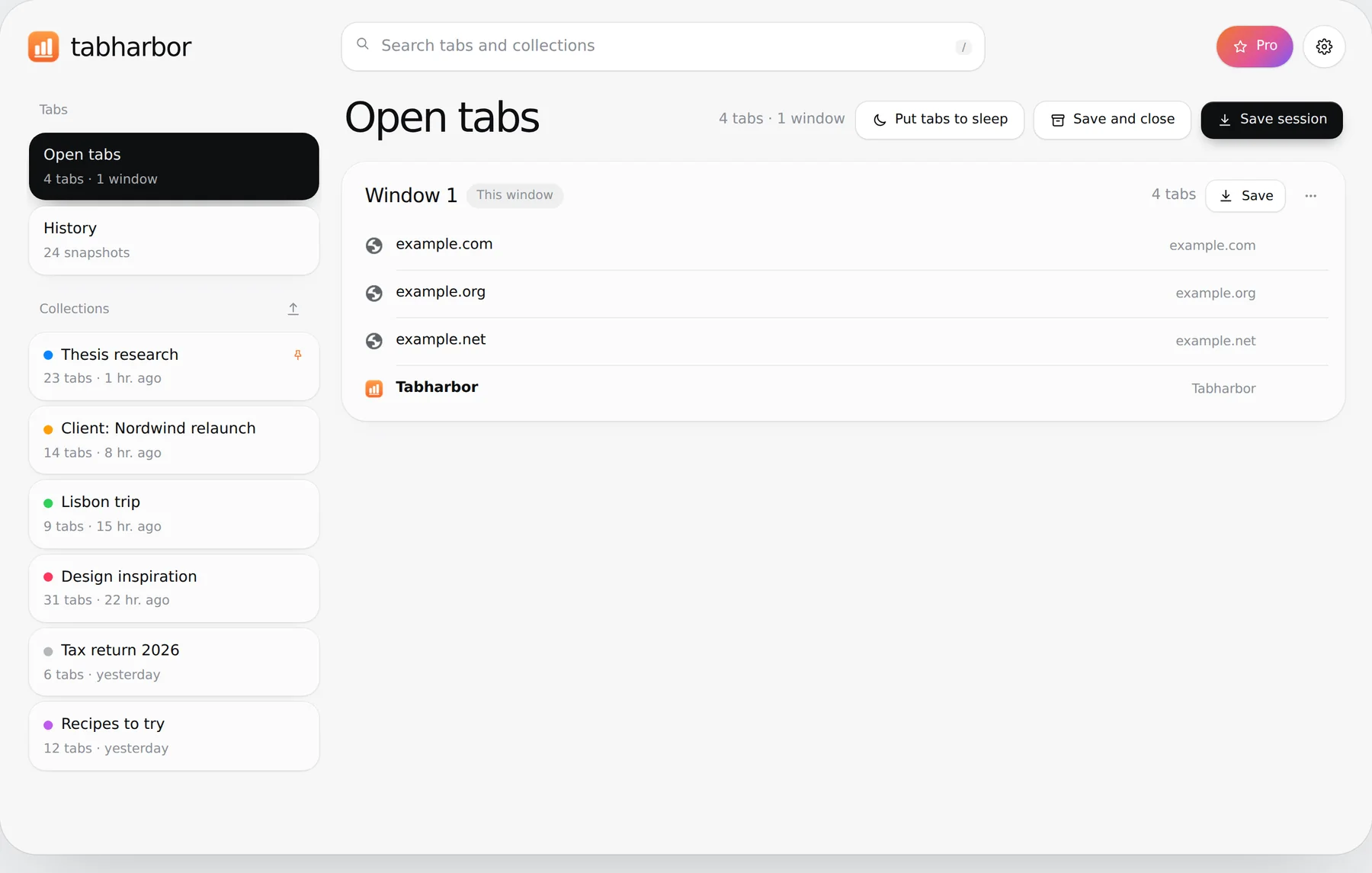
Everything in one calm place
Your open tabs, your history and your collections sit in one sidebar. One search field finds any tab in any of them.
Save a window, close it, get it back
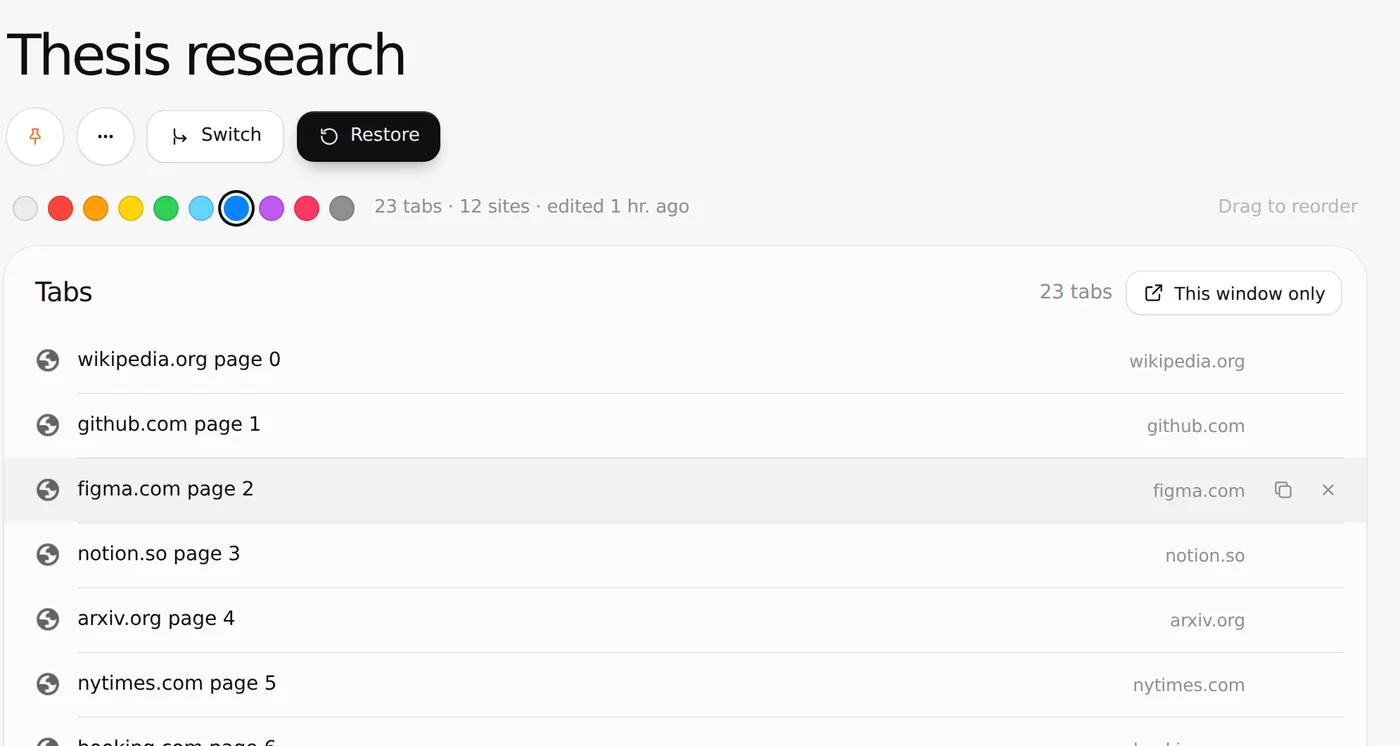
A collection is a set of tabs you want to keep without keeping them open.
- Save all tabs or a single window in one click
- Restore into a new window or the current one
- Tab groups keep their name and color
- Restored tabs sleep until you click them, which saves memory
- Rename, color and pin collections, reorder tabs by drag and drop
A crash is no longer a loss
Tabharbor writes a snapshot of your windows whenever something changes. After a crash or a browser update you open the history and take back the whole session or a single tab.
- Every change is saved automatically
- “Last session” brings back everything from before the restart
- Close duplicate tabs or put unused tabs to sleep in one click
Bring your old sessions with you
Moving over takes a minute. Export from your current tool, drop the file into Tabharbor and your links arrive as collections. Getting out is just as easy.
- Export as Markdown, text, HTML bookmarks, CSV or JSON
- Copy all links of a window in one click
Pro takes care of the rest
Four things people miss most in tab managers, built in.
Sync through Chrome
Your collections travel with your Chrome profile to your other computers. No extra account.
Automatic backups
A backup file of all collections lands in your Downloads folder, daily or weekly.
Switch between projects
One click saves the tabs of your window and opens another collection in their place.
Memory saver
Unused tabs go to sleep by themselves, old ones get tidied away and duplicates do not open twice.
Free to use. Pro when you want more.
Every new user gets all Pro features for 7 days. After that you simply continue with the free version. No subscription starts by itself.
Free
- 20 collections
- 30 snapshots in the history
- Save, restore and search
- Close duplicates, put tabs to sleep, read later
- Import and export in all formats
Tabharbor Pro
- Unlimited collections
- Up to 500 snapshots
- Sync through Chrome between your computers
- Automatic backups as a file
- Switch between projects, memory saver, automatic cleanup, duplicate guard
No Tabharbor server ever sees your tabs
There is no Tabharbor server and nothing to sign up for. What you save is stored in your browser and belongs to you. Sync is optional and runs through your own Chrome profile.
- Stored
- In your browser, on your device
- Sync
- Optional with Pro, through your own Chrome profile
- Account
- None
- Tracking and ads
- None
- If you buy Pro
- ExtensionPay and Stripe process your email address and payment. We never see your tabs.
Questions
Is Tabharbor really free?
Yes. Saving, restoring, searching, the history with 30 snapshots and up to 20 collections are free without a time limit. Pro adds sync, backups and automations and removes the limits.
What happens after the 7 days of Pro?
Nothing you need to do. Tabharbor continues as the free version. Your collections stay, and no payment is taken because you never entered payment details.
Where are my tabs stored?
In the local storage of your browser. Tabharbor has no server, so they are not uploaded to us. Only if you turn on sync with Pro are your collections also stored in your own Chrome profile. If you remove the extension, Chrome deletes this data, so export a backup first.
Can I move over from another tab manager?
Yes. Export there as text or JSON and import the file in Tabharbor. HTML bookmarks, Markdown and CSV work as well.
Does it sync between computers?
Yes, with Pro. Collections sync through your own Chrome profile, without a Tabharbor account or server. Chrome only allows a small amount of data for this, so very large libraries are better moved with a backup file.
Which browsers are supported?
Chrome, version 121 or newer.